
Tutorial: Create Stunning Data Presentations and Make Your Data Interesting

Everyone likes a good story. You have a story and you have data to back it up, but raw data can be hard to read. So, how can you make data interesting, easy to understand, and presentable? You can use data visualization which is the graphical representation of information and data. When you use elements such as charts, graphs, hierarchy trees, and sitemaps, you can present your data in a way that feels like a story that your intended audience can understand.

Creating graphical representations based on your data sounds like hard work, especially if you are not a data analyst or scientist. Luckily, Microsoft can do this for you with the help of PowerPoint and Excel. We are going to show you how to create data charts in PowerPoint by using Excel to input the data.

Step-by-Step Process to Create a PowerPoint Presentation with Dynamic Data


  1. Open PowerPoint and create a blank slide.
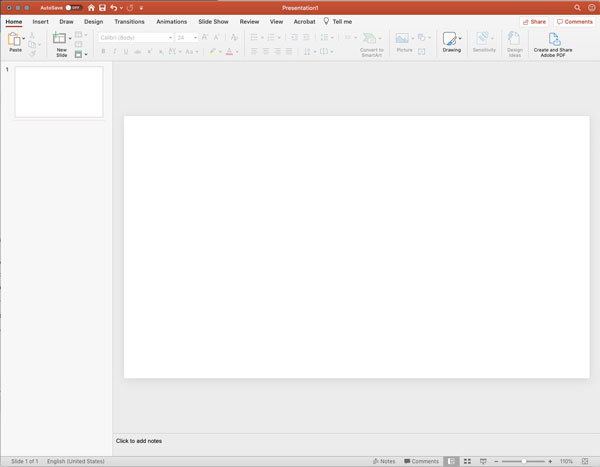
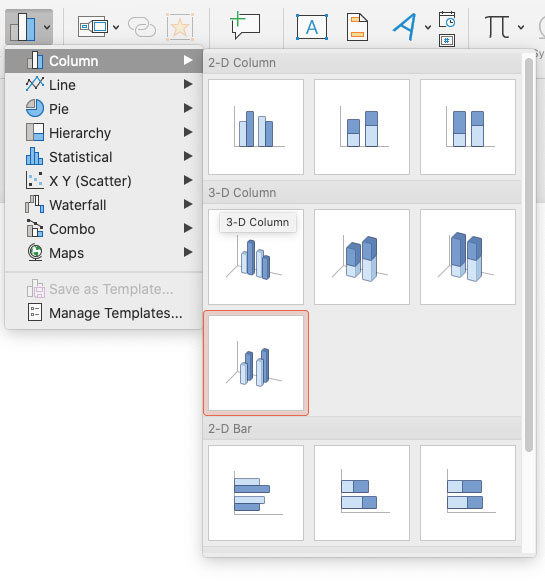
  2. Click the Insert tab and click the Chart icon to choose a chart.

  3. In our example, we are going to choose Column > 3D Column.
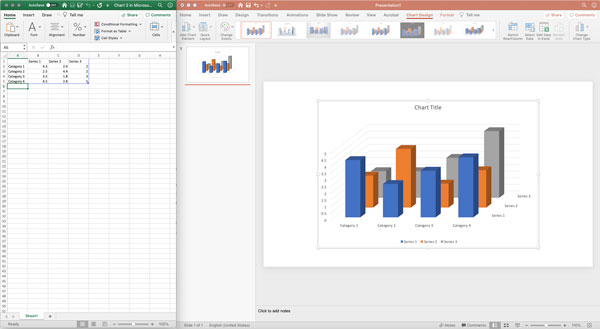
  4. When you choose your chart, PowerPoint triggers Excel to open with example data. At this point, you can change the data and it will update your PowerPoint chart.
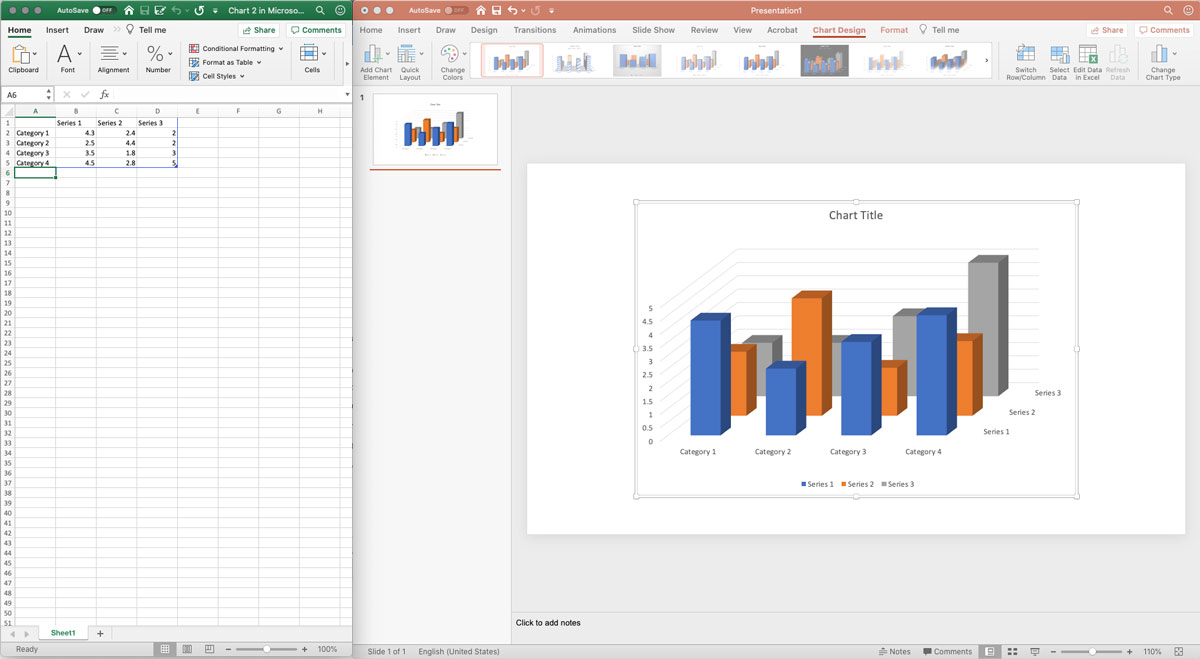
  5. After you have updated your data in Excel, you have other options to make your data more interesting:
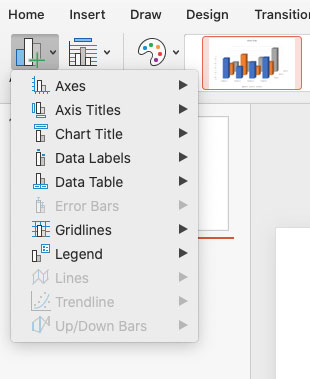
    1. You can click Add Chart Element to add additional data elements to your chart
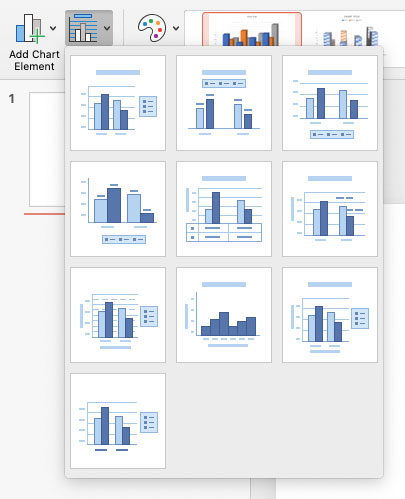
    2. You can click Quick Layout to choose pre-formatted layouts
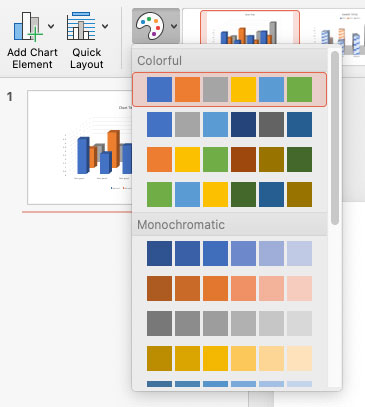
    3. You can choose a different color scheme in Change Colors.
Now that you have created your first dynamic data chart with columns in PowerPoint, experiment with the other types of charts. The PowerPoint charts help you and others make sense of your data. Here are a few benefits of PowerPoint charts:

  • Use data visualization to help sell products or services, show progress at a board meeting, or train your staff on how to be more efficient.
  • Update your data without worrying about the visual formatting.
  • Only show the most important data to your audience and avoid confusion or distraction.
  • Bring consistency to your reports and presentations.
  • No need to worry about learning a new platform like Tableau to visualize your data.


Data visualization is a great way to share and display your data in a way that grabs the attention of people. PowerPoint gives you the tool to make that happen. If you are interested in a group PowerPoint training course for your organization, contact us at jonr@cccsolutions.com or 301-332-0613. We would love to talk to you about it.


TOFU, MOFU, and BOFU Magnets

When you stack magnets, their power is exponential.


Stacking Magnets


Think about your best clients and what actions they took when first buying from you. Build magnets based on these actions. Here are examples of how to stack magnets:


Fractional CFO Service Company


  • TOFU – Cash-Flow Forecast Template for Founders.
  • MOFU – 3-part email class on “Scaling from 500K to 5M using videos.
  • BOFU – Free 30-minute “Financial Check” with a 90-day pilot option. 


. Residential HVAC / Plumbing Contractor


  • TOFU – Seasonal Maintenance Checklist to Avoid Breakdowns 
  • MOFU – Educational videos on “What To Check Before Calling For Help. 
  • BOFU – Free home system inspection plus a discount on annual plans. 


Specialty Retailer or E-Commerce Shop


    • TOFU – “Find Your Perfect Product Style” quiz with personalized recommendations and a small first-order discount. 
    • MOFU How-To Guides, Lookbooks, and Comparisons
  • BOFU – Limited-time starter kit, cart-abandonment coupons, and free shipping.

This “magnet stack” approach—clear value at each stage, linked to your core offer—will pull the right prospects from curiosity to commitment.


Getting it Done


Apex Advisory Group, a professional services firm, had four sales reps plus the owner selling and servicing clients, but deals were inconsistent and follow-up was ad-hoc.


Apex engaged CCC, www.cccsolutions.com, to help build their sustainable sales pipeline. The team focused on the ideal client’s journey, selected magnets, and created a sales process to manage prospects. The magnets were:


    • TOFU – Risk and Readiness Checklist.
  • MOFU – Quarterly Webinars and Case Studies
  • BOFU – Business Circle Invitation


CCC set up X2CRM to segment, track, and reach prospects and remind salespeople to follow up. At every stage, the CRM captured new information and responded based on specific prospect actions.


Apex Today


Apex now has a repeatable sales engine: Their magnets consistently attract new prospects, X2CRM nurtures and scores them, and the sales team focuses its energy on the best opportunities.


With CCC Solutions guiding strategy and configuration, Apex built a sustainable, measurable pipeline that increased sales while reducing the chaos of manual follow-up.


FREE ebook:
Build More Revenue with Less Follow Up Fatigue

Recent Blogs

Use Lead Magnets to Build Your Sales Engine

Use Lead Magnets to Build Your Sales Engine

Lead magnets are valuable offers that attract the right people, capture their contact information, and lead them to purchase. Concurrently, you get to see who the real prospects are!   Core Magnet Principles   Strong magnets:   Offer specific value...

Get a CRM – Are You Nuts

Get a CRM – Are You Nuts

For professional service companies like Edemco, a team of six, including three sales reps, the decision to implement a CRM wasn’t taken lightly, said Edith Demona, Edemco’s owner.  Edemco’s team felt growing pains as it managed client service, marketing, and sales. ...

Your Personal Touch Sells

Your Personal Touch Sells

Your personal touch is the reason buyers buy from you. As a seller of goods or services, connecting personally with your buyer builds the relationship needed to increase sales conversions.   Personal Touch Obstacles   Hurdles that reduce personalized...